Home / How to play
How to Play Viewfinder
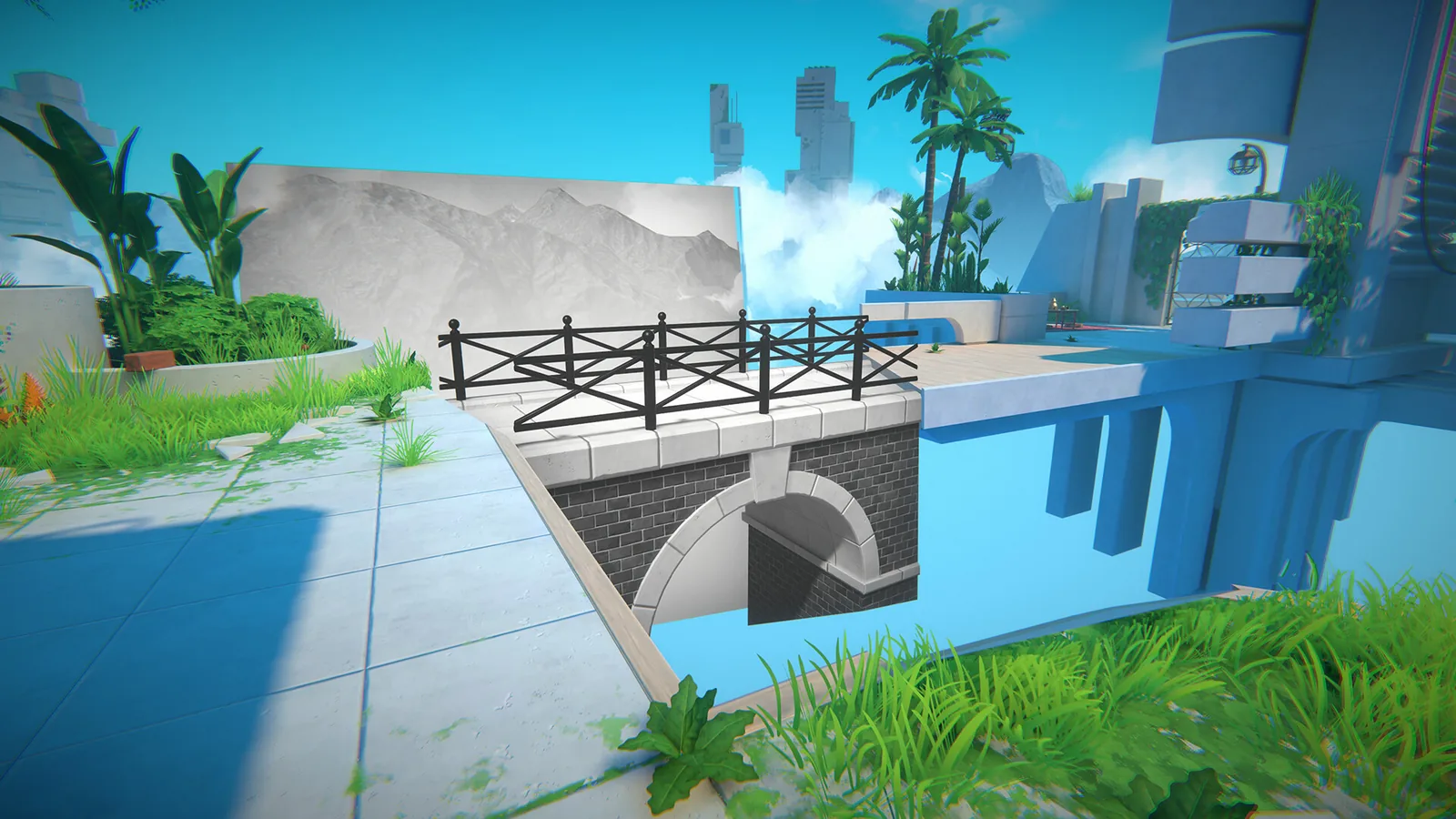
You place a flat image into a 3D room and walk on whatever the image contains. Everything else is a variation on that verb.
| Mechanic | First seen | What it does | Status |
|---|---|---|---|
| Photo placement | Chapter 1 Level 1.1 | Place a photograph, painting, sketch, postcard or screenshot into the world; it overwrites geometry and can create bridges, rooms, ramps or holes. | 2 sources |
| Polaroid camera | Chapter 3 Level 1.1 | Take photos of the world and use them as placeable images; later filters change the photo. | 2 sources |
| Photocopier | Chapter 1 Level 3.1 | Duplicates a held photo so multiple copies can be placed. | 3 sources |
| Batteries and teleporters | Chapter 1 Level 1.1 (teleporter) / 1.2 (battery charging) | Teleporters end levels; most need batteries on a charging station. | 2 sources |
| Jump powerup | Chapter 3 Level 2.5 | Increases jump height; can be duplicated and stacked. | 3 sources |
| Camera filters | Chapter 3 hub (Filter Select machine after Level 1.1) | Changes the look of photos and unlocks cosmetic/achievement filters. | 2 sources |
| Rewind | Chapter 1 Level 1.1 | Rewinds time to undo a fall or a bad photo placement. | 2 sources |
| Sound sensors | Chapter 4 Level 6.1 | Sound from a speaker/radio activates a receiver, powering screens or a teleporter. | 2 sources |
The first room teaches the loop. Aim, place a photograph, painting, sketch, postcard, or screenshot, rotate it, and confirm. The picture overwrites the air: a bridge, a hole, a ramp, a whole room. Rewind undoes a fall or a bad placement. The exit is a teleporter, and from 1.2 onward many of those exits want batteries you can carry. I am not going to invent key names. Steam lists full controller support, and no public page I used prints a default binding chart. Actions are the unit here, not keys.
The photocopier shows up in Chapter 1 Level 3.1 and duplicates whatever photo you feed it. The instant camera arrives in Chapter 3 Level 1.1, and the hub’s filter machine turns on after that. The Steam guide counts 21 filters. Timers start in Chapter 3 Level 4.1. Illusions start around 5.1. Blue and violet material, from Chapter 4 Level 1.1, cannot be photographed or erased, which is why later puzzles route around it with telescopes and cages. Sound sensors in 6.x pair a speaker with a receiver. Chapter 5 adds photos of yourself, which let you enter cages, and a five-minute final sequence from Level 4.1 through 4.9.
Jump powerup
The higher jump is in Chapter 3 Level 2.5. The 100% Guides page and the Steam achievement list both tie “To reach new heights!” to that pickup, and “Low orbit” to stacking more than one. The two sources support the pickup and achievement connection; neither establishes a platform-specific button binding. Patch 1.1.4 added a motion-sickness option that stops the held camera and the photo from bobbing, plus a highlight on photos. Those settings live on the performance page.
Questions
How do you take a picture?
The instant camera is picked up in Chapter 3 Level 1.1. Before that you place photos you find in the level.
Is there a jump button upgrade?
A jump powerup is in Chapter 3 Level 2.5. It can be duplicated. Two sources tie the achievements to that room.
Sources
- Wikipedia — checked 2026-10-31
- IGN — Chapter 1 — checked 2026-10-31
- 100% Guides — Low Orbit — checked 2026-10-31
- Steam 100% guide — checked 2026-10-31
- Steam news — patch notes — checked 2026-10-31
- Steam store — checked 2026-10-31